
Receive an Amazon.com Gift Card for using your Debit Card.
This March, earn rewards by using your debit card. The more you use your card, the more you earn.
This March, earn rewards by using your debit card. The more you use your card, the more you earn.
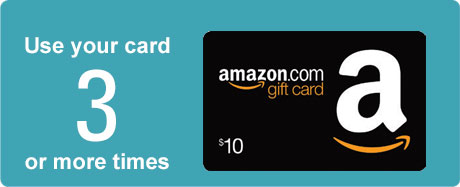
Make 3 or more payments and earn a $10 Amazon.com Gift Card.*
Offer is valid only for the specific debit card and cardholder referenced on postcard and is non-transferable. Only one promotional incentive per cardholder. In order to qualify for the promotion incentive, debit card payments must settle between March 1–31, 2016. Point of Sale PIN, Signature or Credit purchases and ATM related transactions are not qualifying transactions.
Selected debit card payments will be tallied by your financial institution, and earned promotion incentive will be issued and mailed 4-6 weeks after the offer period ends. Cardholders that make three (3) or more payments will receive one $10 Amazon.com Gift Card.
When you redeem an Amazon.com Gift Card to your account, the funds will be stored in your Amazon.com Account and automatically apply to your next eligible order. The original expiration date, if any, applies to any unused funds.
Step 1: Locate the claim code.
Note: For plastic gift cards, you may need to scratch off the coating on the back of the card to reveal the claim code. The claim code isn’t the 16-digit card number.
Step 2: Go to Your Amazon.com Account.
Step 3: Click Apply a Gift Card to Your Account.
Step 4: Enter your claim code and click Apply to Your Account.
Note: You can also enter your claim code during checkout. You won’t be able to redeem your gift card using the Amazon.com 1-Click service unless you redeem the gift card funds to Your Account first.
Note: If your order total is more than your gift card funds, the extra can be paid for by credit card.
Amazon.com is not a sponsor of this promotion. Except as required by law, Amazon.com Gift Cards (“GCs”) cannot be transferred for value or redeemed for cash. GCs may be used only for purchases of eligible goods at Amazon.com or certain of its affiliated websites.
For complete terms and conditions, see www.amazon.com/gc-legal. GCs are issued by ACI Gift Cards, Inc., a Washington corporation. All Amazon ®, ™ & © are IP of Amazon.com, Inc. or its affiliates. No expiration date or service fees